How to automate lead follow-ups without sounding like a robot
Anirudh Yadav·Updated 8 Oct 2026·11 min read

Reply to every new enquiry fast, ideally within the hour, and automate the parts of follow-up that are about timing, not judgement. Send an instant acknowledgement, then a personal reply, then a check-in and one last nudge before you stop. Use WhatsApp Business greeting messages, away messages and quick replies, keep email within Gmail's and Yahoo's sender rules, and get consent before any marketing text. Keep every enquiry in one list so you can see who's still waiting.
Most small businesses don't lose leads to a competitor with a better price. They lose them to silence: the enquiry that sat in an inbox over the weekend, the message nobody saw, the quote that never got a second email. Automating follow-ups fixes the silence, as long as the messages still sound like a person wrote them.
I'm a user researcher, so I care about what happens on the other side of the form. Someone who's just asked a café about a function room, or a clinic about an appointment, is waiting, and how long they wait shapes everything after. Here's the evidence on speed, and how to set up follow-ups that go out on time without reading like they came from a machine.
One disclosure first. We build websites and the CRM behind them for small businesses at KahuLogic, so our own product appears in a couple of places below. Everything else in this guide works with tools you probably already have, most of them free.
Why the first reply matters more than the perfect one
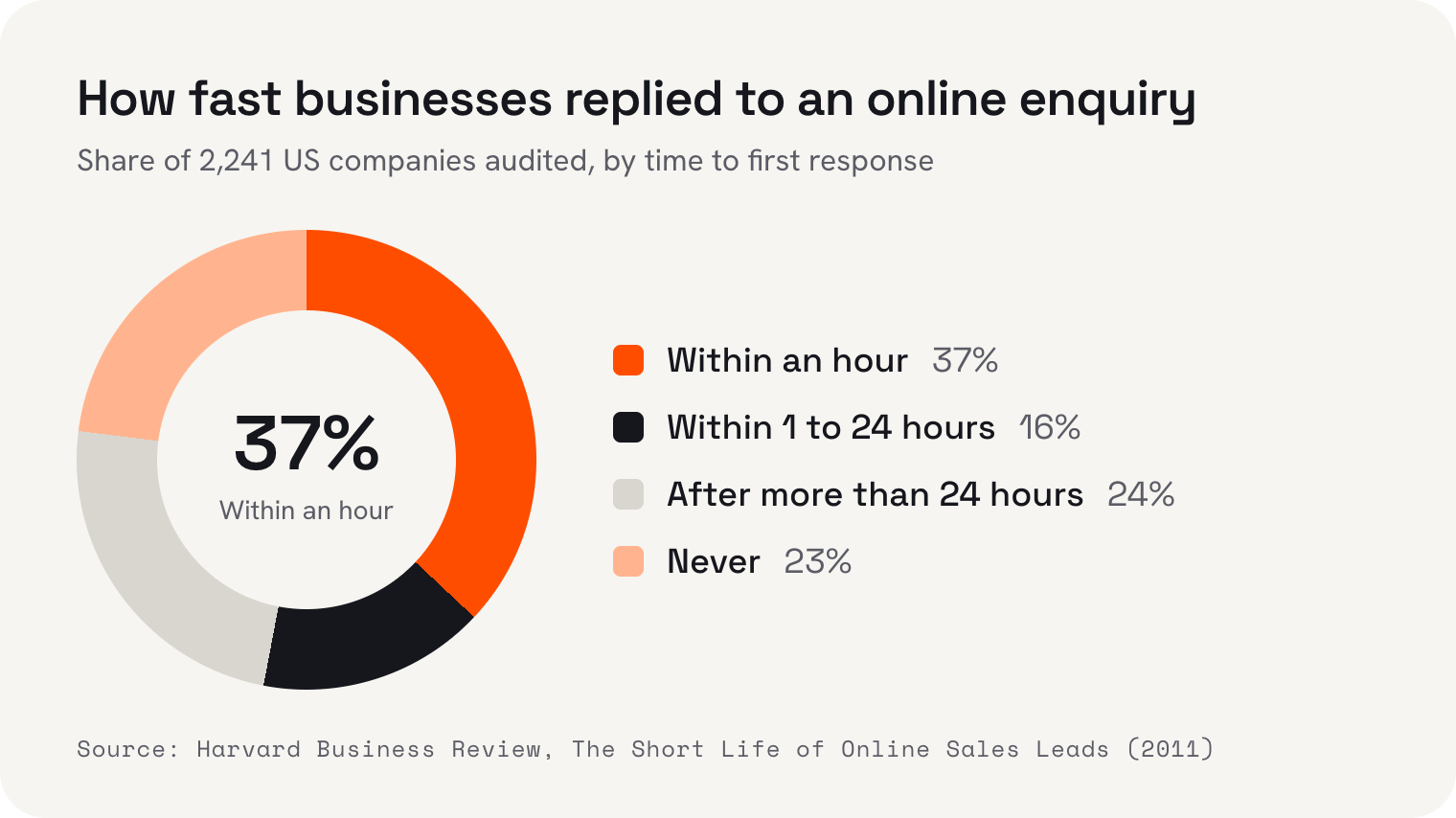
The best-known evidence is old but clear. In 2011, Harvard Business Review published a study that opens with “We audited 2,241 U.S. companies”. 37% of them responded to an online enquiry within an hour, 16% within 1 to 24 hours, 24% took more than 24 hours and 23% never responded at all. The average response took 42 hours.
The same article looked at 1.25 million leads. Firms that tried to contact a lead within an hour were nearly 7 times as likely to qualify it as firms that tried an hour later, and over 60 times as likely as firms that waited 24 hours or more.
An industry study goes further. The Lead Response Management study, by InsideSales.com with MIT's Oldroyd, found the odds of qualifying a lead dropped 21 times between contacting it at 5 minutes and at 30 minutes. It's an undated industry study, so I wouldn't lean on the exact number, but it points the same way as the HBR work.
Those studies were about sales teams, not salons, motels or electricians. But anyone who's asked three businesses for a quote knows how it plays out. The first one to reply, politely and with a real answer, starts with a big advantage. Automation's main job is making sure you're that first reply.
A follow-up rhythm you can actually keep
Automation works best when it follows a rhythm you've chosen, not one a tool chooses for you. This is the rhythm I'd suggest for most small businesses. Stretch or shorten the gaps to match how fast people buy in your line of work: someone booking a wedding venue takes longer to decide than someone with a burst pipe.
The first message can be fully automated: it tells the person you've got their enquiry and when they'll hear from you. The second is the one that matters, and it should be written by a person, or at least read and approved by one. The later messages can be drafted for you, but someone should decide whether each one still makes sense.
And know when to stop. If someone says no, or stays quiet after the last nudge, leave it there. More messages after that don't win the job back; they just teach people to ignore you. A short, friendly “we're here if you need us” is a better last word than a fifth reminder.
What to automate and what to keep personal
The line I'd draw is simple. Automate the timing, the reminders and the answers you give ten times a day. Keep a person on anything that needs judgement: a price for an unusual job, a complaint, a customer who's clearly unsure what they need.
| Moment | Automate | Keep personal |
|---|---|---|
| The enquiry arrives | An instant “thanks, here's when we'll reply” message | Nothing yet |
| The first real reply | A drafted reply for you to check | The answer, the price and your name |
| Everyday questions | Saved answers on hours, parking and what to bring | Anything out of the ordinary |
| Follow-ups | The reminder that one is due, and a draft | Whether to send it, and what to add |
| Messages after hours | An away message saying when you're back | The proper reply the next morning |
| A complaint or a no | Nothing | All of it |
The test I use is this: if the customer found out the message was automated, would they mind? An instant acknowledgement at 9pm, no; most people are glad of it. A reply to their complaint, yes, every time.
Write the automated parts in your own voice
Most automated messages sound robotic because they came from a tool's default template, not because they're automated. “Your enquiry has been received and will be processed” reads like a parcel depot. Write your own, once, the way you'd say it at the counter or on the phone.
Three things make the difference. Use the customer's first name if you have it. Say when they'll hear from you, and then keep that promise. And sign it from a person, not from “the team”. A short line in your own words beats a polished paragraph that could have come from any business anywhere.
Do the same for your saved replies and follow-up drafts. Read each one out loud, and if it sounds like something you'd never say to a customer's face, rewrite it. Then revisit them every few months, because prices, opening hours and the questions people ask all change, and an out-of-date saved reply is worse than none.
Reply on the channel they used, too. Someone who sent a WhatsApp message at 10pm probably doesn't want a formal email the next morning, and someone who filled in a detailed form probably does. Matching the channel is the simplest way to make an automated rhythm feel like a conversation.
On WhatsApp, three settings do the first step for you
 WhatsApp
 Gmail
- Yahoo Mail
If customers message you on WhatsApp, the free WhatsApp Business app has three tools that cover the acknowledgement and the everyday answers. None of them replaces a real reply, but together they mean nobody is left wondering whether you saw their message.
- 1Greeting messageSent automatically when someone messages you for the first time, or after 14 days with no messages. Use it to say thanks and when you'll reply properly.
- 2Away messageSent when you can't reply. You choose when: always, on a custom schedule, or outside your business hours.
- 3Quick repliesSaved answers you send with a shortcut, for the questions you get every day. You can store up to 50 of them.
Quick replies are the underrated one. WhatsApp's help page says “The maximum number of stored quick replies allowed is 50.” That's plenty for opening hours, directions, prices and what to bring. Because you still choose when to send each one, they stay personal: you can add a name or a line about the customer's question before you hit send.
One change to know about if you used to answer customers through your Google Business Profile: Google ended chat on Business Profiles on 31 July 2024. Its help page says “You won't be able to interact with customers through chat”. Make sure your profile points people to a phone number or a channel you actually check.
Email follow-ups that reach the inbox
Email is still where most follow-ups go, and Gmail and Yahoo both publish rules for senders. For one-to-one replies from your own inbox, you're unlikely to run into them. They start to matter when you send automated follow-ups in volume.
Gmail asks every sender to set up SPF or DKIM, which help show that your email really comes from your domain, and to keep the spam rate below 0.3%. Bulk senders, sending 5,000 or more emails a day, need SPF, DKIM and DMARC plus a one-click unsubscribe. Yahoo's guidance is short and blunt: “Honor unsubscribes within 2 days.” Whoever set up your domain email can check SPF, DKIM and DMARC for you in a few minutes.
Then make sure follow-ups stop as soon as someone replies. An automated “just checking in” sent after the customer has already booked is the quickest way to sound like a robot, and it tells them nobody is reading your messages.
Texts need consent before anything else
Text messages feel personal, which is exactly why the rules are strict. In the US, the FCC says marketing texts need the recipient's prior written consent. In Australia, the ACMA says commercial messages need consent, must identify who sent them and must include a way to unsubscribe that's honoured within 5 working days.
Replying to someone who texted you about a job is different from sending them offers later. If you want to send promotions or reminders to past customers, get consent in writing first and keep a record of it. The rules differ from country to country, so check your own regulator's guidance before you send anything in bulk.
Keep every enquiry in one list
Follow-ups fall apart when enquiries are scattered across a form inbox, a phone, WhatsApp and a notebook by the till. Whatever tools you use, the fix is one list: every enquiry, where it came from, and whether it's had a reply. That's what a CRM is for, and for a small business it can be simple.
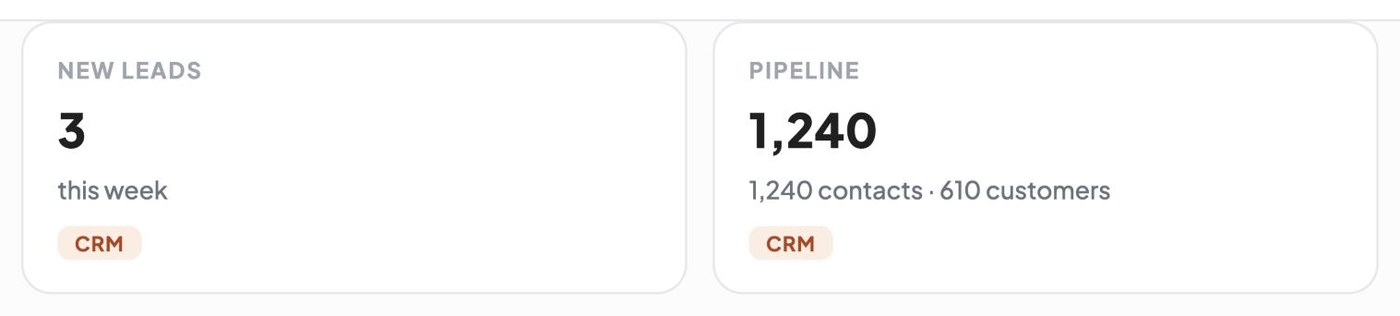
Here's that idea in a sample account. The sample business's CRM pipeline in Kahu holds 1,240 contacts, 610 of them customers. That's the list its follow-ups would be worked from. Every enquiry from your website lands in Kahu CRM with where it came from, so you can see at a glance which enquiries are new and where each one started.
Where a lead came from matters for the follow-up too. Someone who found you searching for an urgent repair needs a different first reply from someone who read your price list and wants to book next month. A list that keeps the source next to the name lets you write the right one.
Let the software notice who's waiting
The other job automation does well is noticing. A good system doesn't just store enquiries, it tells you which ones haven't had an answer. In the sample account, Kahu's daily brief opens with exactly that: following up with the customers who are still waiting on you.
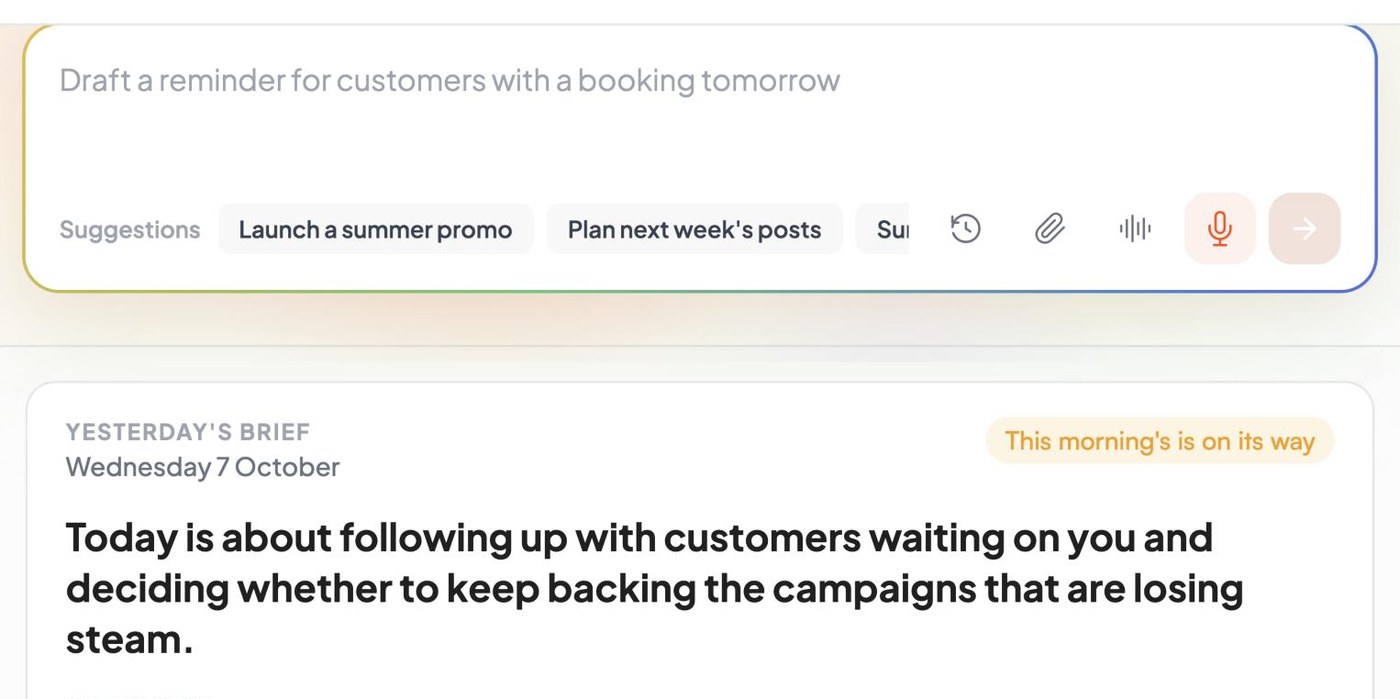
Kahu drafts replies and follow-ups for you to approve, and nothing goes out without your approval. Automations only run once you switch them on. That's the balance I'd look for in any tool: the software keeps time and writes the first draft, and a person decides what's actually sent.
 Where Kahu fits


 Website form · asked for a valuation · 2h ago
 Email · quiet 6 days
Set it up this week
You don't need a new system to start. Here's the order I'd do it in, most of it with tools you already have:
- List every place enquiries arrive: website form, email, phone, WhatsApp and social messages.
- Turn on a WhatsApp Business greeting message and away message, and save quick replies for your five most common questions.
- Write an instant acknowledgement for your website form that says when you'll reply.
- Decide your rhythm: who replies personally within the hour, when the check-in goes, and when you stop.
- Ask whoever manages your domain email to check SPF, DKIM and DMARC.
- Put every enquiry in one list, and check it each morning for anyone still waiting.
Then look again in a month. Count how many enquiries got a real reply within the hour. That one number tells you more about your follow-ups than any tool's dashboard, and it's the one I'd want to see go up.
I'm Anirudh Yadav, a user researcher at KahuLogic, a New Zealand company with a team across Australia, New Zealand and India. We build and look after websites and marketing for small businesses, and this is the advice I'd give on follow-ups whether or not you ever use us.
Frequently asked questions
How quickly should I reply to a new lead?
As fast as you can, ideally within the hour. In Harvard Business Review's 2011 analysis of 1.25 million leads, firms that tried to contact a lead within an hour were nearly 7 times as likely to qualify it as firms that tried an hour later. An instant automated acknowledgement buys you a little time, but a real reply should follow soon after.
How many times should I follow up with a lead?
No single number fits every business. A simple rhythm works for most: an instant acknowledgement, a personal reply, a check-in a few days later and one last nudge. If the person says no or stays quiet after that, stop.
How do I automate follow-ups without sounding like a robot?
Automate the timing, the acknowledgement and the everyday answers, and keep a person on the first real reply and anything that needs judgement. Write saved replies in your own words, and make sure automated follow-ups stop as soon as the customer replies.
Can WhatsApp Business send automatic replies?
Yes. The free WhatsApp Business app can send a greeting message when someone messages you for the first time or after 14 days with no messages, and an away message always, on a custom schedule or outside business hours. You can also store up to 50 quick replies to send yourself.
Do I need consent to send follow-up texts?
For marketing texts, yes in many countries. In the US, the FCC says marketing texts need prior written consent. In Australia, the ACMA requires consent, a clearly identified sender and an unsubscribe option honoured within 5 working days. Check the rules where you and your customers are.
Can customers still message me through my Google Business Profile?
No. Google ended chat on Business Profiles on 31 July 2024, so customers can no longer message you there. Make sure your profile points people to a phone number or another channel you check every day.
Sources and further reading
- Harvard Business Review: The Short Life of Online Sales Leads (2011)hbr.org
- Lead Response Management study (InsideSales.com and MIT, industry study)leadresponsemanagement.org
- Google Business Profile Help: chat endedsupport.google.com
- WhatsApp Help: greeting messagesfaq.whatsapp.com
- WhatsApp Help: away messagesfaq.whatsapp.com
- WhatsApp Help: quick repliesfaq.whatsapp.com
- Google Workspace Admin Help: email sender guidelinessupport.google.com
- Yahoo Sender Hub: best practicessenders.yahooinc.com
- US FCC: stop unwanted robocalls and textsfcc.gov
- ACMA: avoid sending spamacma.gov.au