How to use AI for marketing in a small business: a weekly routine that sounds like you
Muskaan Sharma·Updated 3 Nov 2026·13 min read
Use AI for marketing by giving it your real material (photos, this week's news, your offers, your prices) and having it draft posts, captions, emails and ad copy in your voice, which you then check and approve. Set it up with a short brand guide, examples of posts you like, and words to avoid. Keep the ideas, offers and final yes with you. Work in a weekly rhythm rather than bursts, never let AI invent reviews or results, label realistic AI images where platforms ask, and only email people who agreed to hear from you.
Small business marketing rarely fails for lack of ideas. It fails on a Sunday night, when you finally sit down to write the week's posts and the newsletter you promised yourself, and you're too tired to start. The photos are on your phone. The news is in your head. The post never gets written.
AI is genuinely good at closing that gap, the one between having something worth saying and getting it published. It's less good at deciding what's worth saying, and it can make your business sound like everyone else's if you let it. This guide is about getting the first part without the second.
I'm a user researcher at KahuLogic, where we build websites and marketing tools for small businesses. I'll mention our own tool once, near the end; everything else works whichever tools you use.
What can AI do for small business marketing?
AI can draft almost every piece of routine marketing writing: social captions, post ideas from a photo, email newsletters, ad headlines, website copy, replies to comments. Some tools also create or edit images and short videos. What it does best is turn your raw material into a first draft in seconds, so your job becomes editing rather than starting from a blank page.
HubSpot's 2026 research, which is vendor data from a company that sells marketing software, found about 80% of marketers use AI for content creation. Australia's National AI Centre, which tracks small and medium businesses, found 40% were adopting AI in late 2024, and 21% weren't aware of how to use it. My read is that plenty of owners have tried a chatbot once, got something bland back, and stopped. The fix is usually better input, not a better tool.
What marketing should you hand to AI, and what should you keep?
Hand over the typing, formatting and variations. Keep the ideas, the offers, the photos and the final yes. That split matters because the parts you keep are the ones that make your marketing yours.
| Marketing job | Let AI draft | Keep with you |
|---|---|---|
| Social posts | Captions from your photos, a few variations, hashtags that fit your area | Taking the photo, choosing which post goes out |
| Email newsletters | A first draft from your notes on the month, subject line options | The offer, who it goes to, the final read |
| Ads | Headline and description variations for an offer you've decided on | The budget, the offer, the audience |
| Website copy | Clearer service descriptions, answers to common questions | Facts, prices, anything you'd be held to |
| Images and video | Simple edits, resizes, a short clip from your own photos | Approving anything realistic, labelling AI images where asked |
| Reviews | Drafting a warm reply to a real review | Never writing or inventing reviews |
Give AI your real material, not a blank prompt
The single biggest difference between bland AI marketing and good AI marketing is what you feed it. “Write an Instagram post for my café” gets you something any café could post. “Write a short Instagram caption for this photo of our new lemon tart, available from Thursday, made with lemons from my neighbour's tree, friendly and a bit cheeky, no hashtags in the first line” gets you something only your café could post.
- Photos you took this week: the work, the team, the shop, the before and after.
- What actually happened: a new product, a busy weekend, a customer question you answered twice.
- The offer, if there is one, with the real price and dates.
- Who it's for: “regulars who come on weekday mornings” beats “customers”.
- The one thing you want people to do next: book, call, visit, reply.
Then ask for options, not a single answer. Three short captions in different tones, or two subject lines, gives you something to choose between, and choosing is quicker than editing.
How to keep AI marketing sounding like you
Write a short brand guide once and give it to the AI every time. It doesn't need to be fancy. A few lines on how you talk, the words you use and the ones you never would, and five posts you're proud of, does more than any setting. Picture a florist whose guide says: warm, plain, a little playful; we say “bunch”, not “arrangement”; we never say “stunning” or use more than one exclamation mark.
- 1Describe your voice in three phrasesFor example: friendly and local, practical, never pushy.
- 2List words to use and avoidYour own terms for your services, and the clichés you hate.
- 3Add five examples you likeReal posts or emails you've written that felt right.
- 4Add your factsPrices, hours, service area, what you don't do. Tell the AI never to invent these.
- 5Approve everything for a monthRead every draft and fix what's off. The fixes teach you what to add to the guide.
A weekly AI marketing routine for a small business
A steady weekly rhythm beats a burst of posts followed by a month of silence. Here's a routine I'd suggest to an owner with an hour or so to spare each week. The times are rough guides, not measurements.
- Monday: upload the week's photos, note anything new, and have AI draft the week's posts. Read them, tweak, approve and schedule.
- Wednesday: check comments and messages. Use AI to draft replies, then send the ones that sound like you.
- Friday: if it's newsletter week, read the drafted email, check the offer and dates, and schedule it. Glance at what got the most response.
- Monthly: look at which posts and emails led to enquiries or bookings, not just likes, and do more of those.
Copy these: five prompts for a week of marketing
These are the prompts I'd save in a note on your phone, one for each job in the weekly routine. Paste prompt 1 at the start of every session, then the one you need. Change everything in square brackets.
- 11. Your brand guide (paste first, every time)You write marketing for [business], a [type] in [area]. Our customers are [who, e.g. regulars on weekday mornings and families at weekends]. Our voice is [three phrases]. We say [our words] and never say [banned words, e.g. "indulge", "elevate", "stunning"]. Our facts: open [hours], prices [list], we don't [things you don't do]. Never invent a price, date, review, award or customer. If you need a fact I haven't given, write [ASK ME]. Here are two posts I like: [paste].
- 22. This week's posts from your photosHere are [number] photos from this week and three lines of news: [news]. Write [4] Instagram and Facebook captions, one per photo, each under [60] words, each ending with one next step: [book / visit / call / order]. Give me two versions of each, one plainer and one a bit more playful. No hashtags in the first line; add up to [3] local hashtags at the end.
- 33. The monthly emailDraft an email to past customers who agreed to hear from us. This month: [what's new, the offer with real price and end date, one useful tip]. Keep it under [200] words with one button: [button text and link]. Give me three subject lines under 45 characters. Leave the unsubscribe line for my email tool to add.
- 44. Ad variations for one offerThe offer is [offer, price, dates] for [who] in [area]. Write [5] headlines of up to 30 characters and [4] descriptions of up to 90 characters for a Google Search ad, and [3] short primary texts for a Facebook ad. Use only the facts here. Don't use "best", "guaranteed" or any claim I haven't given you.
- 55. Reply to a real reviewHere is a review from a real customer: [paste review, without their surname]. Draft a reply of two or three sentences in our voice that thanks them by first name, mentions one specific thing they said, and [if it's critical: apologises once, says what we've changed and invites them to contact (email)]. Don't offer discounts or admit fault for anything they didn't raise.
The [ASK ME] instruction in prompt 1 is the one I'd never drop. It turns the AI's habit of filling gaps with confident guesses into a list of questions for you, which is exactly where a wrong price or a made-up opening day would otherwise slip through. Keep the character limits in prompt 4 too; Google's help page on responsive search ads sets headlines at up to 30 characters and descriptions at up to 90, and drafts that ignore them waste your editing time.
A worked example: a café's month of marketing
Here's a worked example. The business and every number in it are made up, so swap in your own. Picture a café owner who used to spend about four hours every Sunday writing posts and a monthly email, and still only managed six posts a month.
She switches to the weekly routine. Each Monday she uploads eight photos and three lines of news, and AI drafts four posts; editing and approving them takes her about 25 minutes. Comment replies take 10 minutes midweek. The monthly email takes 30 minutes to review instead of two hours to write.
Here's the sum. Monday editing is 25 minutes × 4 weeks = 100 minutes, midweek replies 10 × 4 = 40 minutes, and the email 30 minutes: 170 minutes, or just under three hours. Sixteen hours down to three saves her about 13 hours a month. If she values her time at a made-up NZ$40 an hour, that's NZ$520 a month, or NZ$6,240 a year, and she's posting 16 times a month instead of 6. The work moves from writing to editing, which a busy owner can do in a spare ten minutes.
Will AI content hurt my SEO?
Not because it was written with AI. Google's guidance, published on its Search Central blog in February 2023, says what matters is the quality of content, not how it was produced, and that using automation, including AI, mainly to manipulate search rankings breaks its spam policies. In plain terms: pages that answer real customer questions with your real knowledge are fine, however they were drafted. Dozens of thin pages churned out to catch searches are not.
For a small business website, I'd use AI to help rewrite service pages more clearly, draft answers to the questions customers actually ask, and tidy up your about page. Then add what only you know: your prices, your area, your process, photos of your own work.
The rules to follow when you use AI for marketing
A few rules apply whatever tool you use, and they matter more with AI because it makes it so easy to produce things quickly.
- Never invent reviews or testimonials. The US FTC's rule on consumer reviews and testimonials, in effect since 21 October 2024, bans fake ones, and the FTC says that includes reviews from people who don't exist, such as AI-generated ones. The principle is the same everywhere: only quote real customers, with permission.
- Label realistic AI content where the platform asks. Meta says it adds “AI info” labels to ads made or significantly edited with its generative AI tools, and asks people to disclose photorealistic video or realistic audio that was digitally created or altered when they post it.
- Only email or text people who agreed. In Australia and New Zealand, commercial messages need consent, must identify the sender and must include a working unsubscribe, actioned within five working days.
- Check every fact. AI can state a wrong price, a closed day or a service you don't offer with total confidence. You're responsible for what you publish.
- Keep personal details out of public chatbots. Australia's privacy regulator recommends not entering personal information into publicly available AI tools.
What AI marketing can't do for you
It can't take the photo of your best work, decide this month's offer, or know that your regulars love the dog who sits by the door. It doesn't know which customer is about to move house or which supplier just let you down. Those are the details that make small business marketing work, and they come from you.
In my view, the owners who get the most from AI treat it like a quick, tireless assistant who's never met their customers. Brief it well, check its work, and never let it speak for you without reading what it said.
If you only do three things this week
- Write your brand guide (prompt 1 above) and save it where you can paste it in seconds.
- Take ten photos of this week's work, team or shop, and use prompt 2 to draft next week's posts.
- Check your email list: delete anyone you can't show agreed to hear from you, and make sure every email has a working unsubscribe.
Where Kahu fits
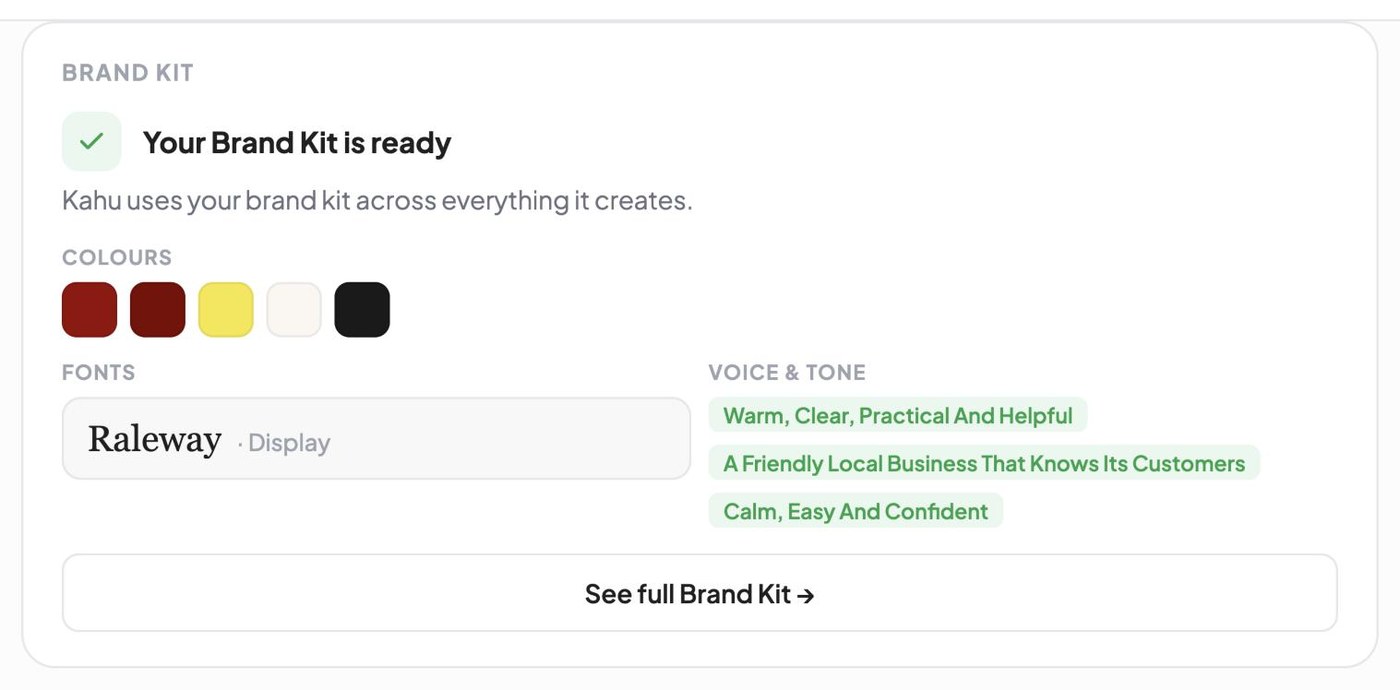
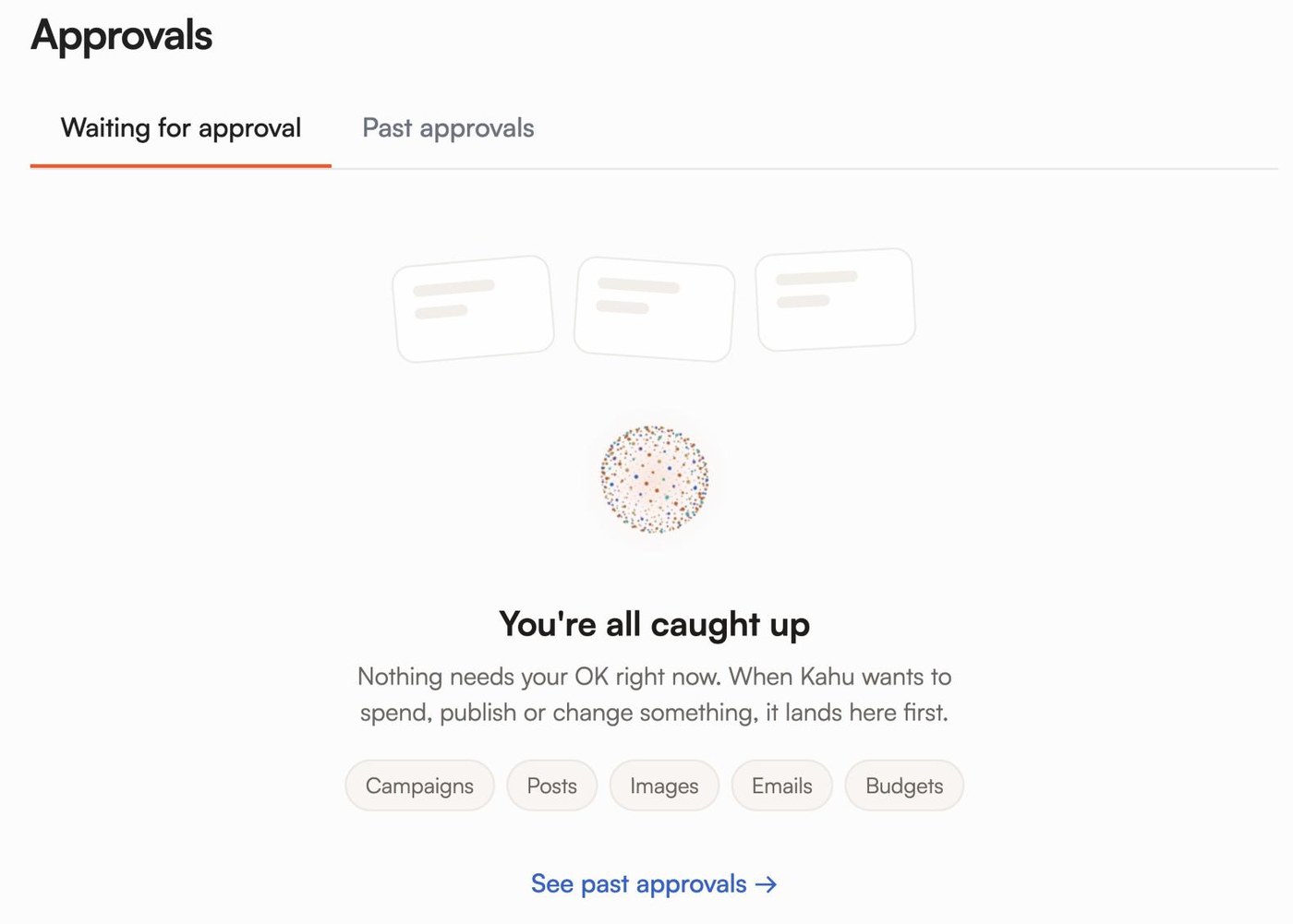
If you'd like help without handing over the keys, here's what our tools do. Kahu Creative Studio makes posts, reels and story ads from your own photos, drafted for your approval, and Kahu Reach drafts Google and Meta ads, email campaigns and SMS campaigns, which send in Australia, with New Zealand in progress and launching soon; ad spend is paid to Google and Meta from your own ad accounts, with no cut to KahuLogic. Everything Kahu writes and makes follows your Brand Kit: your colours, fonts and voice. Work Kahu drafts waits in your approvals queue until you approve it, and automations run only when you switch them on. Your website, ads and CRM are included from Growth (US$179 a month, or US$149 billed yearly). Starter (US$69) covers social posting, Creative Studio and chat. Every plan starts with a free 7-day trial, no card needed.
 Where Kahu fits




I'm Muskaan Sharma, User Researcher at KahuLogic, a New Zealand company with a team across Australia, New Zealand and India. My honest view is that AI is best at the part of marketing owners hate, the blank page, and worst at the part customers love, which is you.
Frequently asked questions
How can a small business use AI for marketing?
Give AI your real photos, news, offers and prices, and have it draft social posts, emails, ad copy and website text in your voice. Check and approve everything before it goes out. Work in a weekly rhythm, and judge results on enquiries and bookings rather than likes.
What is the best way to make AI content sound like my business?
Write a short brand guide: three phrases describing your voice, words you use and avoid, five examples you like and your key facts. Give it to the AI every time, and edit every draft for the first month. Specific input, like a real photo and this week's news, matters more than the tool.
Will AI-written content hurt my SEO?
Not because AI wrote it. Google's guidance focuses on quality and says using automation mainly to manipulate rankings breaks its spam policies. Pages that answer real questions with your own knowledge, checked by you, are fine.
Do I have to label AI-generated images?
It depends on the platform and the content. Meta adds AI info labels to ads made or significantly edited with its generative AI tools, and asks people to disclose photorealistic video or realistic audio that was digitally created or altered. Check each platform's current rules before you post.
Can I use AI to write customer reviews or testimonials?
No. Only use real reviews from real customers, with permission. In the US, the FTC's consumer review rule bans fake reviews and testimonials, including AI-generated ones. You can use AI to help draft a reply to a real review.
Do I still need a marketing agency if I use AI?
For brand strategy, big campaigns or specialist ads work, an agency can still help. For the weekly routine of posts, emails and simple ads, many small businesses can manage with AI drafting and an hour or so of their own time each week.
Sources, checked 3 November 2026
- HubSpot: 2026 state of marketing (vendor data)blog.hubspot.com
- HubSpot: current state of generative AI in marketing (vendor data)blog.hubspot.com
- Department of Industry, Science and Resources: AI adoption in Australian businesses, 2024 Q4industry.gov.au
- Google Search Central: Google Search's guidance about AI-generated content (February 2023)developers.google.com
- FTC: final rule banning fake reviews and testimonials (August 2024)ftc.gov
- Meta: expanding generative AI transparency for ads products (February 2025)about.fb.com
- Meta: our approach to labelling AI-generated content and manipulated mediaabout.fb.com
- ACMA: avoid sending spamacma.gov.au
- OAIC: guidance on privacy and the use of commercially available AI productsoaic.gov.au
- Google Ads Help: about responsive search adssupport.google.com