How to use AI for sales in a small business: replies, quotes and follow-ups
Muskaan Sharma·Updated 3 Nov 2026·14 min read

In a small business, AI helps sales most in the gaps between conversations, not in the pitch. Use it to draft a fast, specific reply to every enquiry, ask the same few qualifying questions every time, turn your price list and notes into a draft quote, and draft follow-ups for quotes that go quiet, so none are forgotten. Keep a person approving anything that names a price or makes a promise, and keep negotiation, site visits and the relationship human. Measure reply time, quotes sent and quotes won before and after.
Ask a small business owner where they lose sales and they'll usually talk about price, or competitors, or a bad month. In my view, the bigger leak is quieter than that. It's the enquiry answered the next morning, after the customer had already booked someone else. The quote sent and never chased. The lead noted on the back of a receipt.
That's good news, because those gaps are exactly where AI is useful today. You don't need it to be a brilliant salesperson. You need it to make sure every enquiry gets a good reply quickly and every quote gets followed up, while you do the parts that need you.
I'm a user researcher at KahuLogic, where we build websites and marketing tools for small businesses. I'll mention our own tool once, near the end; everything else works whichever tools you use.
Where small businesses really lose sales
Most small business sales aren't lost in the conversation; they're lost between conversations. The research on response speed is old but striking. In a 2011 Harvard Business Review article, researchers audited 2,241 US companies by sending each a test lead through its website. Only 37% replied within an hour, and 23% never replied at all.
The same article reported on a separate study of 1.25 million sales leads. Firms that contacted a prospect within an hour were nearly seven times as likely to qualify the lead as those that waited an hour longer, and more than 60 times as likely as those that waited 24 hours or more. Those figures come from larger sales teams and are over a decade old, so treat them as direction, not a rule. But the direction matches what common sense says: the first business to give a useful answer has a head start. More recent vendor research points the same way from the buyer's side. 6sense's 2025 Buyer Experience Report, a survey of business buyers rather than households, found four in five deals went to the vendor buyers already favoured before they first made contact. For a small business, that means your website, reviews and first reply are doing the selling before you ever speak.
For a sole trader on the tools, a physio between patients or a florist mid-wedding, replying within an hour is hard. That's the first job I'd give AI.
What can AI actually do in sales for a small business?
AI can draft, sort, summarise and remind. It can write a first reply that answers the question asked, pull the key details out of a long message, turn your notes into a tidy quote, draft a follow-up that mentions the actual job, and tell you which conversations are waiting on you. What it can't do well is judge when to bend on price, read a nervous customer on a site visit, or build trust over years.
| Sales task | What AI can do | What stays with you |
|---|---|---|
| First reply to an enquiry | Draft a specific answer from your prices, hours and service area, with one next step | Approving it until you trust it; anything unusual |
| Qualifying | Ask the same few questions every time and record the answers | Deciding whether the job is right for you |
| Quoting | Turn your price list and notes into a draft quote | Checking the numbers, pricing custom work |
| Follow-up | Draft a check-in for every quote that goes quiet, on a schedule | Choosing tone, deciding when to stop |
| Keeping records | Summarise each conversation and suggest the next step | Making sure the record is right |
| Negotiation and the relationship | Prepare notes and past history before you talk | All of it |
Use AI to reply to every enquiry quickly
The fastest win is a drafted first reply. When an enquiry comes in, AI reads it, checks it against your written facts, and drafts an answer you can approve in seconds. A good first reply does three things: answers the question that was actually asked, offers one clear next step, and says when a person will follow up if needed.
- Give the tool a one-page fact sheet: services, price ranges, hours, service area, lead times, what you don't do.
- Tell it to never invent a price or promise a date. If it doesn't know, it says you'll confirm.
- Make the next step concrete: a booking link, a time to call, or a request for photos of the job.
- Keep approval on. Read and send each draft yourself for the first few weeks, so you learn what it gets right.
Watch for what customers share with you. Australia's privacy regulator, the OAIC, recommends that businesses don't enter personal information, especially sensitive information, into publicly available AI chatbots. If you're pasting an enquiry into a free chatbot to get a draft, strip out the name, phone number and anything personal first, or use a tool built to hold customer data.
Qualify leads with a few natural questions
Qualifying means finding out, early and politely, whether a lead is a good fit. Most small businesses need only four or five answers: what they want, when, where, roughly what budget, and how they found you. AI is good at asking these consistently, which people often aren't when they're busy.
Write your questions down in the order you'd ask them face to face, and let the AI weave them into its reply rather than firing them all at once. Picture a landscaper. A first reply might answer the question about hedge trimming, then ask: “Roughly how long is the hedge, and is there easy access from the street? If you can send a photo, I can give you a closer price.” That's qualifying, and it doesn't feel like a form.
Draft quotes faster from your price list
If your quotes follow a pattern, AI can draft them. Give it your price list, your standard inclusions and exclusions, and the answers from the qualifying questions, and it can lay out a clear quote in your format. You check the numbers and send it.
- Keep one master price list and update it in one place. A drafted quote is only as current as the list it reads.
- Set a threshold. Above a certain value, or for anything outside your standard services, you write or rewrite the quote yourself.
- Ask the AI to list the assumptions it made (access, materials, timing) at the bottom, so you can catch a wrong one.
- Never let it add discounts or guarantees you haven't approved.
Follow up on every quote without being pushy
Follow-up is where I think small businesses leave the most money behind, because it's nobody's job and it feels awkward. AI removes the awkwardness of the blank page. It can draft a check-in that mentions the actual quote, so it reads like a person who remembers, not a machine on a schedule.
- 1Day 3A short, friendly check-in that mentions one detail from the quote and asks if they have any questions.
- 2Day 7Something useful: a photo of similar work, an answer to a common worry, or what's included that they might have missed.
- 3Day 14A soft close: are they still planning the job, and would they like you to hold a time?
- 4Then stopMark the lead as closed, note why if you know, and set a gentle check-in for a few months later if it fits.
Two rules keep this on the right side of the law and of good taste. First, a follow-up about a quote someone asked for is different from a marketing campaign, but if you start adding offers and promotions, Australian and New Zealand spam rules apply: you need consent, you must identify yourself, and you need a working unsubscribe. Second, never let AI invent proof. In the US, the FTC's rule on consumer reviews and testimonials, which took effect on 21 October 2024, bans fake reviews and testimonials, including ones generated by AI. If your follow-up quotes a happy customer, it should be a real one, used with permission.
A worked example: what better follow-up is worth
Here's a worked example. The business and every number in it are made up, so swap in your own. Picture a bathroom renovator who sends 20 quotes a month with an average job value of NZ$9,000. Right now she wins 4 of them, a 20% win rate, worth NZ$36,000 a month. She follows up on maybe a third of the quotes, when she remembers.
Say drafted follow-ups mean every quote now gets a check-in on day 3, 7 and 14, and that turns just one extra quote a month into a job. That's 1 × NZ$9,000 = NZ$9,000 more work a month, or NZ$108,000 over a year, and her win rate goes from 20% to 25% (5 of 20), from customers who had already asked her for a price. If writing and approving the three drafted follow-ups takes her five minutes a quote, that's 20 × 5 = 100 minutes a month. She hasn't spent anything on ads or changed how she sells. She's just stopped letting interested people drift.
Your numbers will differ, and one extra job is an assumption, not a promise. The useful step is to work out your own quotes sent, quotes won and average job value, so you know what a single recovered quote is worth to you.
Copy these: a fact sheet, two prompts and three follow-up scripts
Here's the kit I'd set up for the reply, quote and follow-up steps above. The fact sheet and prompts go into your AI tool; the three scripts are what the drafts should look like, so save them as templates and have the AI fill in the details. Change everything in square brackets.
- 11. One-page fact sheet (give the AI this every time)Business: [name], [type], serving [area]. Services and prices: [service, price or range, what's included] for each. Not included: [common assumptions]. Hours: [hours]. Lead time: [e.g. 2 to 3 weeks]. Payment terms: [terms]. We don't do: [list]. Above [NZ$ amount], or for anything not listed, the owner writes the quote. Never offer discounts, guarantees or dates not listed here.
- 22. Prompt: first reply to an enquiryUsing only my fact sheet, draft a reply to this enquiry: [paste the enquiry, with name and contact details removed]. Answer the question they asked in the first sentence. Ask no more than two of these questions: what exactly they need, when, where, roughly what budget. End with one next step: [send photos / book a visit / reply with a time]. Under 120 words. If a price or date isn't on the fact sheet, write [OWNER TO CONFIRM].
- 33. Prompt: draft quoteUsing my fact sheet and these notes from the customer: [answers to the qualifying questions], draft a quote in this format: job summary, line items with prices, what's included, what isn't, how long it's valid, how to accept. Underneath, list every assumption you made about access, materials, quantities and timing, so I can check them.
- 44. Day 3 script: the check-inHi [name], just checking the quote for [job] came through and made sense. One thing people often ask about is [common question, e.g. whether the old tiles are removed]: [the answer]. Happy to talk it through if anything's unclear. [Your name]
- 55. Day 7 script: something usefulHi [name], I thought this might help while you decide: here are photos of a [similar job] we finished in [area] last [month] [link]. It had the same [detail, e.g. small window and low ceiling] as yours. If you'd like to see it in person or speak to that customer, I can ask them. [Your name]
- 66. Day 14 script: the soft closeHi [name], are you still planning the [job]? I can hold [date or week] for you until [day]. If you've gone another way, no problem at all; a quick reply saying so helps me plan. [Your name]
The day 7 script only works if the photos and the offer to speak to a customer are real, so set it aside until you have a job you're allowed to share. The [OWNER TO CONFIRM] instruction in prompt 2 does the same job as approvals: any price or date the AI isn't sure of comes back to you as a gap instead of a guess.
Keep your pipeline up to date without the admin
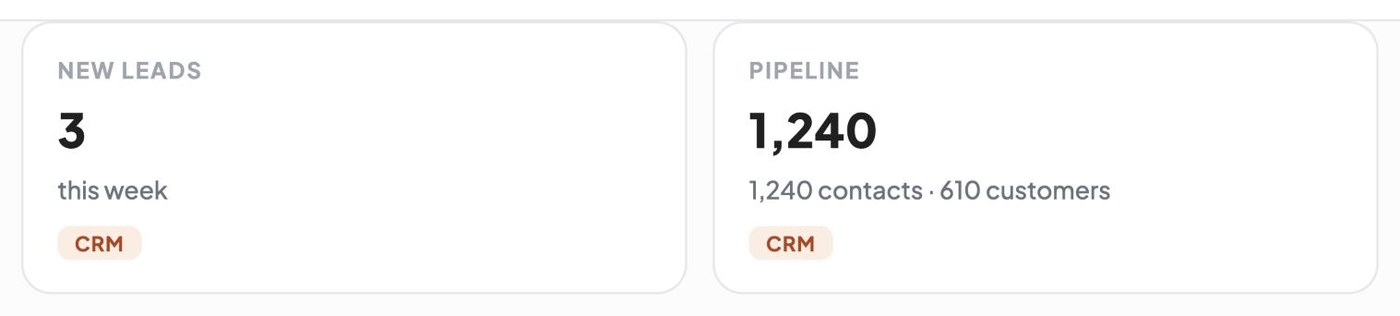
A pipeline is simply a list of everyone you're talking to and where each conversation is up to: new enquiry, quoted, waiting, won, lost. Salesforce's 2026 State of Sales report, a vendor survey of around 4,050 sales professionals, found the average seller spends just 40% of their time actually selling, and points to manual admin as a big reason.
AI can lighten this by summarising each conversation into a line or two and suggesting the next step, so your list stays current without you typing notes at night. Each morning, a quick look at who's waiting on you is worth more than any dashboard.
What should stay human in sales?
Anything that depends on trust, judgement or reading a person should stay with you. Site visits, pricing exceptions, negotiations, handling a worried customer, and saying no to a job that isn't right are all human work. AI's job is to get the customer to the point where those conversations happen, with the details in front of you, and to make sure nobody falls through the gaps between them.
New Zealand's Privacy Commissioner makes a related point in its AI guidance: a person should review AI outputs before acting on them. I'd apply that to sales generally. Let AI draft and remind; let a person decide and send, at least until you've seen enough to trust a particular kind of message.
How to measure whether AI is helping your sales
Pick three numbers and write them down before you start: how long it takes you to reply to a new enquiry, how many quotes you send a month, and how many of those you win. Check them again after a month and after three months.
- Reply time: note the time each enquiry arrives and when the first useful answer went out.
- Quotes followed up: of the quotes sent, how many got at least one follow-up.
- Win rate: quotes won divided by quotes sent, tracked monthly.
- Lost reasons: when you lose, write down why if you know. Price, timing and going with someone faster each need a different fix.
If you only do three things this week
- Write the one-page fact sheet above and keep it where you can paste it in seconds.
- List every quote you've sent in the last three weeks with no reply, and send each one the day 3 or day 14 script.
- Write down three numbers for last month: median reply time, quotes sent and quotes won.
Where Kahu fits
If you'd like help without handing over the keys, here's what our tools do. Website and form enquiries arrive in Kahu CRM as contacts tagged with where they came from, and Kahu drafts the follow-up for you to check; WhatsApp Inbox drafts each reply from your prices and hours, and a person on your team taps send. Work Kahu drafts waits in your approvals queue until you approve it, and automations run only when you switch them on. Your website, ads and CRM are included from Growth (US$179 a month, or US$149 billed yearly). Starter (US$69) covers social posting, Creative Studio and chat. Every plan starts with a free 7-day trial, no card needed.
 Where Kahu fits


 Website form · asked for a valuation · 2h ago
 Email · quiet 6 days
I'm Muskaan Sharma, User Researcher at KahuLogic, a New Zealand company with a team across Australia, New Zealand and India. My honest view is that AI won't out-sell a good owner, but it will stop a good owner losing work they'd already earned.
Frequently asked questions
How can a small business use AI for sales?
Use it to draft quick, specific replies to enquiries, ask consistent qualifying questions, draft quotes from your price list and draft follow-ups for quotes that go quiet. Keep a person approving anything with a price or promise in it. Most of the gain comes from never letting an enquiry or quote slip.
Can AI close sales on its own?
For a simple, fixed-price service, AI can answer questions and send a booking link, and the customer may book without talking to anyone. For custom work, AI prepares the ground and you do the closing. I'd keep a person in charge of pricing exceptions and negotiation.
How quickly should I reply to a sales enquiry?
As fast as you reasonably can, ideally within the hour. A 2011 Harvard Business Review study found firms that contacted leads within an hour were far more likely to qualify them than those that waited longer. A drafted reply you can approve from your phone makes that realistic.
How many times should I follow up on a quote?
Three follow-ups over about two weeks is a sensible pattern for most small businesses: a check-in, something useful, then a soft close. After that, mark it closed and stop. Each message should mention the actual job, not read like a template.
Is it legal to use AI to write sales emails?
Yes, the tool you write with doesn't change the rules. Promotional messages still need consent, sender identification and an unsubscribe under Australian and New Zealand spam law. Never let AI invent testimonials or reviews; in the US, the FTC's consumer review rule bans fake ones, including AI-generated.
Should I put customer details into ChatGPT?
Be careful. Australia's privacy regulator recommends not entering personal information, especially sensitive information, into publicly available AI chatbots. Remove names and contact details before asking a public tool for a draft, or use software designed to hold customer records.
Sources, checked 3 November 2026
- Harvard Business Review: the short life of online sales leads (March 2011)hbr.org
- Salesforce: State of Sales report 2026 announcement (vendor data)salesforce.com
- 6sense: 2025 B2B Buyer Experience Report (vendor data)6sense.com
- FTC: final rule banning fake reviews and testimonials (August 2024)ftc.gov
- OAIC: guidance on privacy and the use of commercially available AI productsoaic.gov.au
- NZ Office of the Privacy Commissioner: generative artificial intelligenceprivacy.org.nz
- ACMA: avoid sending spamacma.gov.au
- NZ Department of Internal Affairs: three steps to ensure you are not spammingdia.govt.nz